![Why IDM Freezes or Gets Stuck at 99% (And How to Fix It) [2026 Guide]](https://vortexdownloader.org/wp-content/uploads/2026/10/why-idm-freezes-at-99-fixes-1024x572.webp) Tutorials & Guides
Tutorials & Guides
Why IDM Freezes or Gets Stuck at 99% (And How to Fix It) [2026 Guide]
Few technical experiences are more infuriating than watching a 30 GB file cruise effortlessly from 0% to 99%,...
The universal YouTube Downloader, TeraBox Downloader, and native Torrent Client for Windows. Accelerate videos, 8K 60fps streams, cloud shares, and direct file hosts across 32 turbo threads with an integrated 8K HDR Media Player and crash-proof auto-resume.
Vortex intelligently detects every link, file host, stream, or media file and routes it to the optimal dedicated engine for zero-latency processing and playback.
32-stream multi-thread chunk pull for PixelDrain, MediaFire, Gofile, games, ISOs & direct archives with 0-ms finalization and pre-download ZIP preview.
Multi-format discovery across YouTube, TikTok, Instagram, Twitter/X, Reddit, Twitch & 1,000+ sites up to 8K 60FPS.
Built-in DHT torrent client with file tree picker, chunk sequencing, tracker refresh, and live swarm telemetry.
Pristine extraction into FLAC (Lossless), WAV, 320kbps MP3, M4A & OPUS with embedded ID3 tags & album art.
High-speed parsing and multi-thread pulling from TeraBox public and password-protected cloud shares (read tutorial).
Hardware-accelerated engine with multi-audio, subtitle picker (.srt/.vtt), HDR/SDR tone mapping & Dolby audio.
Explore the essential modules inside Vortex that make managing files, playback, streaming, and automated background tracking effortless.
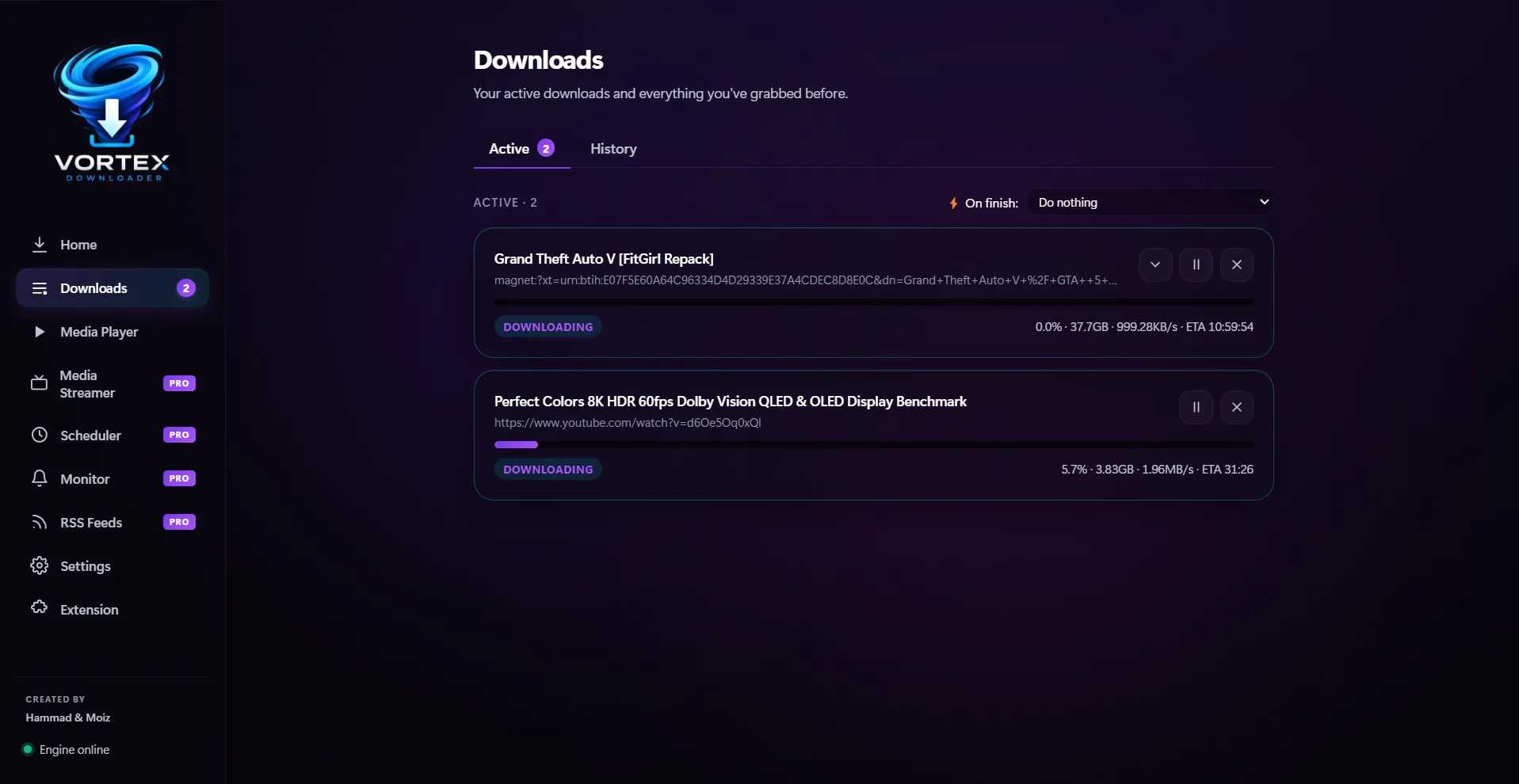
Monitor live download speeds, active chunk segments, ETA counters, and bandwidth throttles across all downloads in real-time. Pause, resume, reorder, or batch restart jobs with zero latency.
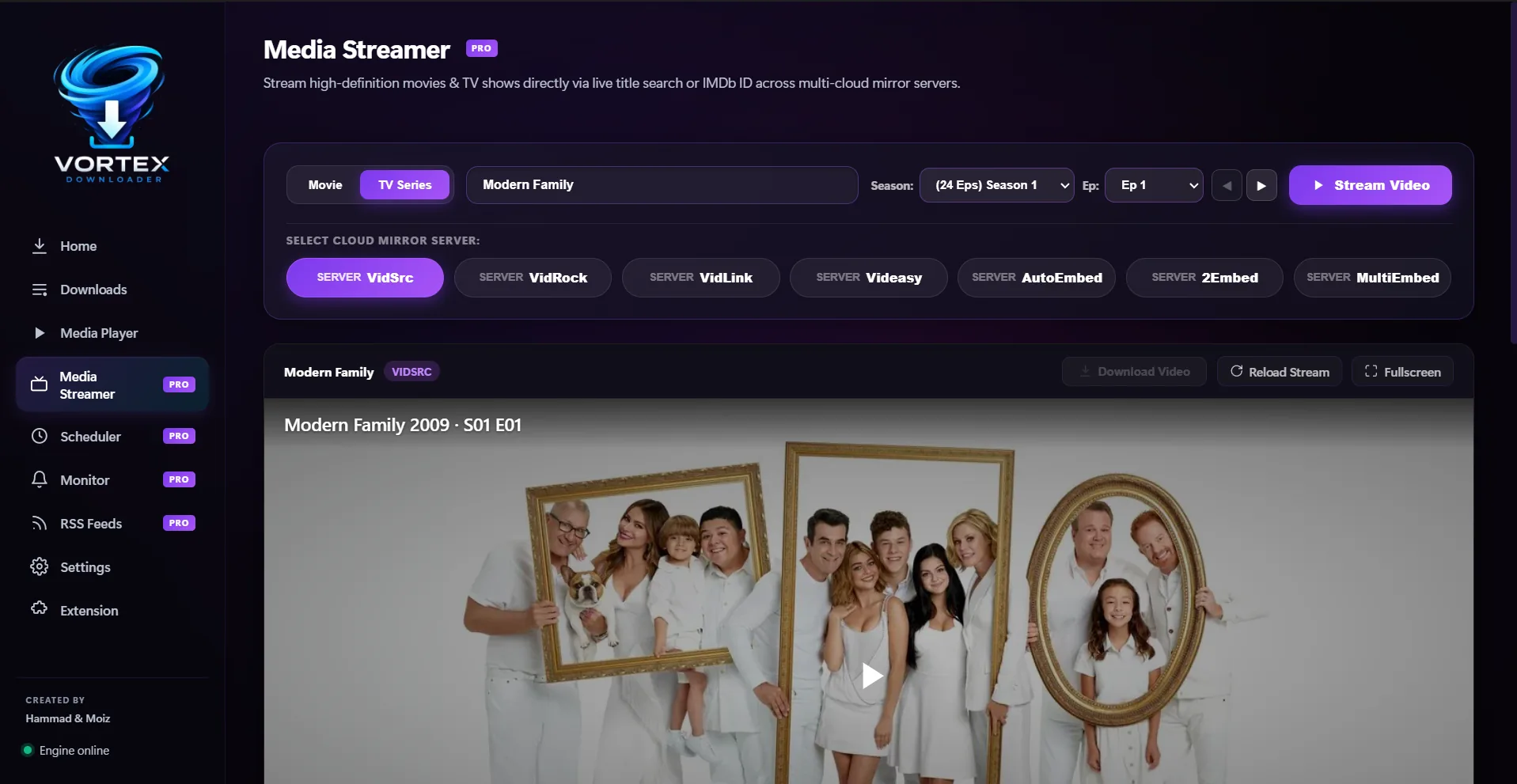
Discover, search, and stream thousands of movies, TV series, and anime directly inside Vortex with zero external popups or ads. Powered by live TMDB/IMDb catalogs with multi-server failover, season/episode pickers, and instant 1-click local library downloads.
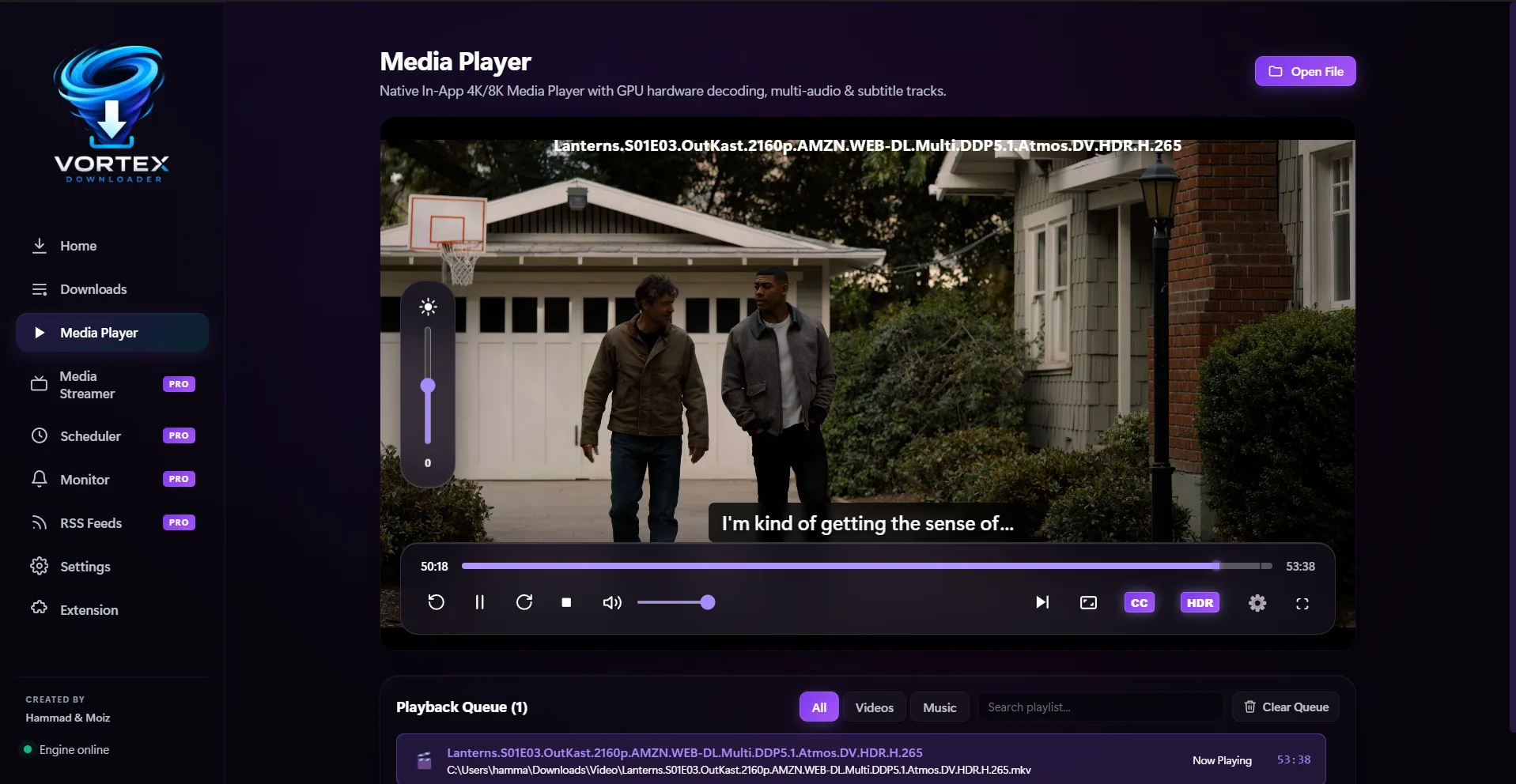
A powerhouse desktop media hub built directly into Vortex. Seamlessly switch between multi-language audio tracks and embedded/external subtitles (.srt, .vtt, ASS/SSA), enjoy HDR-to-SDR dynamic tone mapping, and experience crystal-clear Dolby Digital surround sound with a continuous playlist queue.
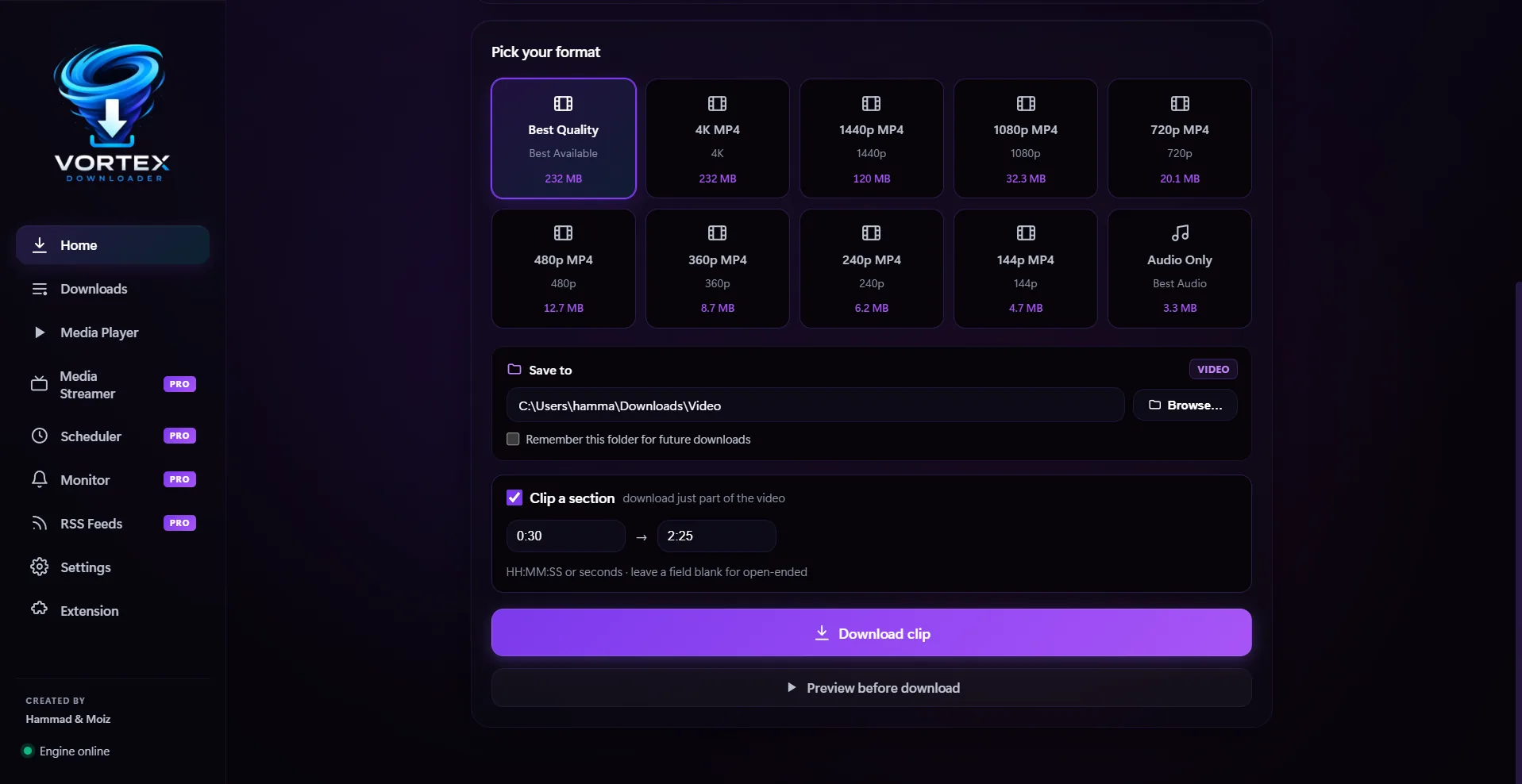
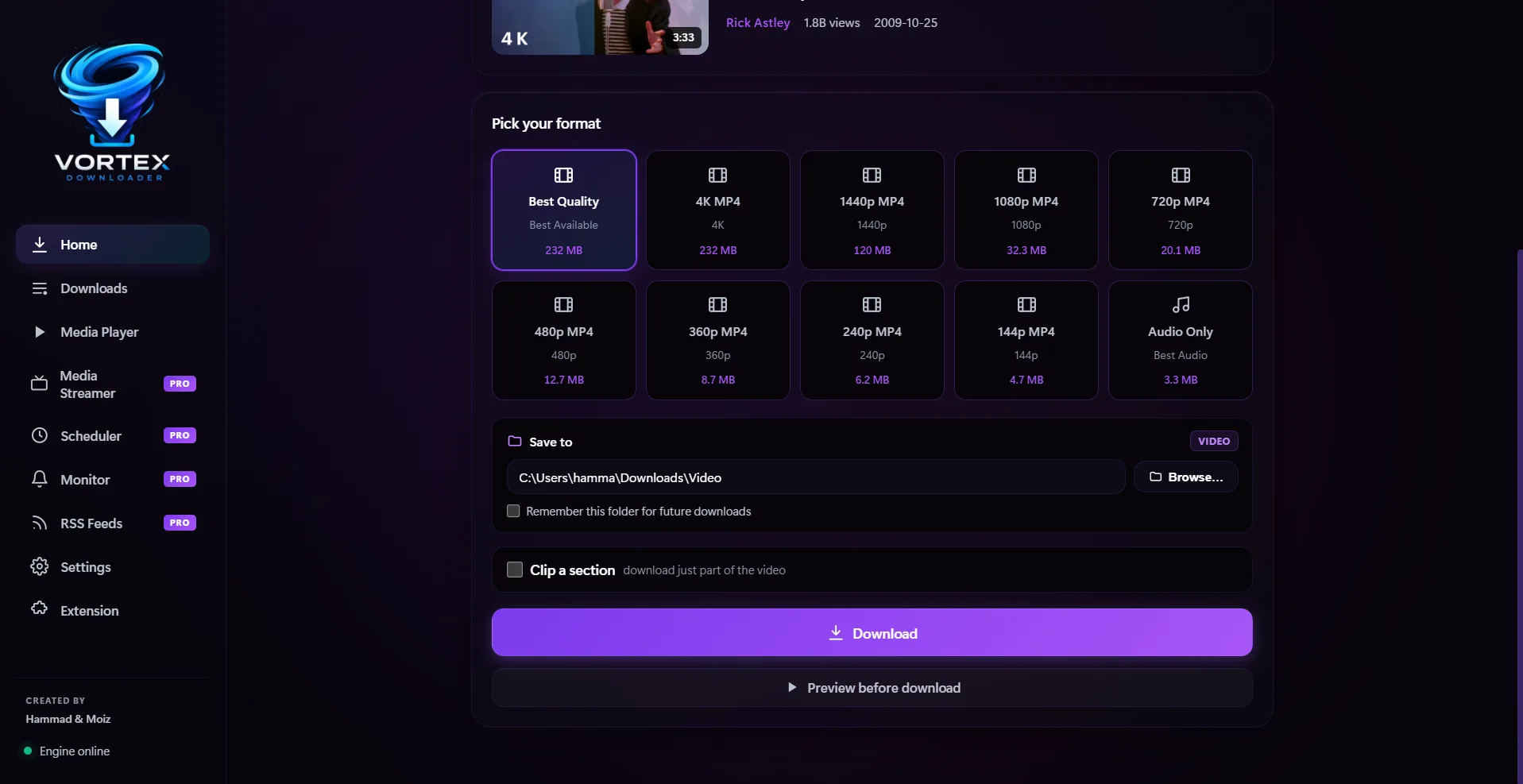
Why download a 2-hour podcast or gaming stream when you only need 30 seconds? Set exact start and end timestamps (e.g. 00:05:20 to 00:07:45) to download only the trimmed section, saving gigabytes of bandwidth and storage space.
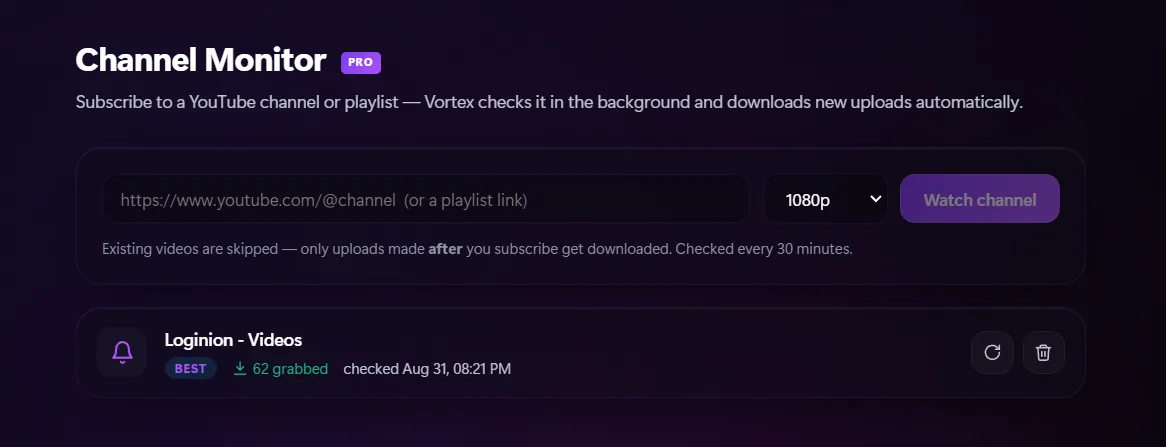
Subscribe to your favorite YouTube channels, artists, or public playlists. Vortex monitors them silently in the background every 30 minutes. Whenever a creator posts a new video, Vortex grabs and downloads it automatically at your chosen quality preset.
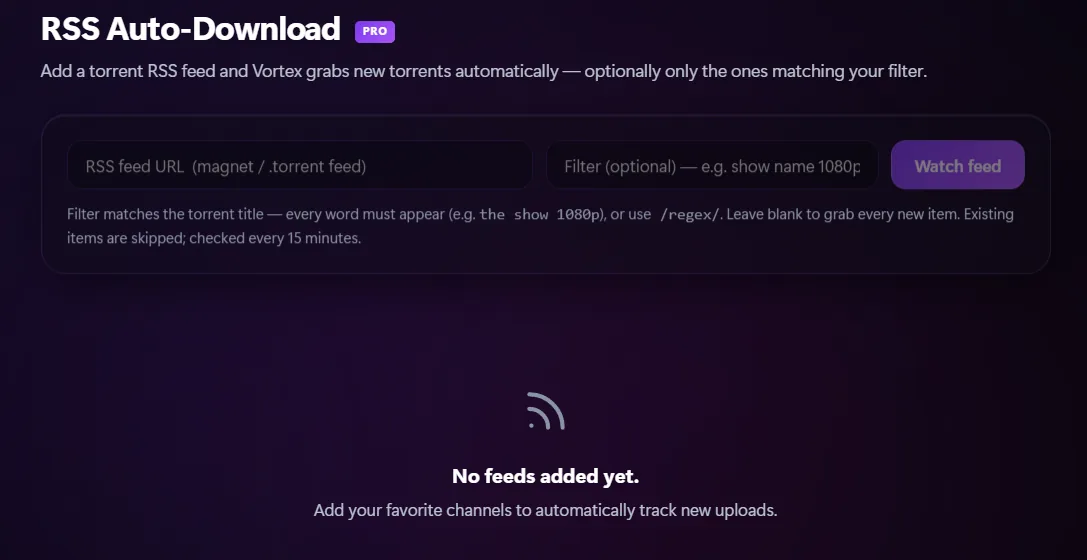
Add any `.torrent` or magnet RSS feed. Vortex polls your feeds every 15 minutes and automatically downloads new releases the second they're published. Set optional keyword filters or regex matching to only grab the exact releases, seasons, or qualities you want.
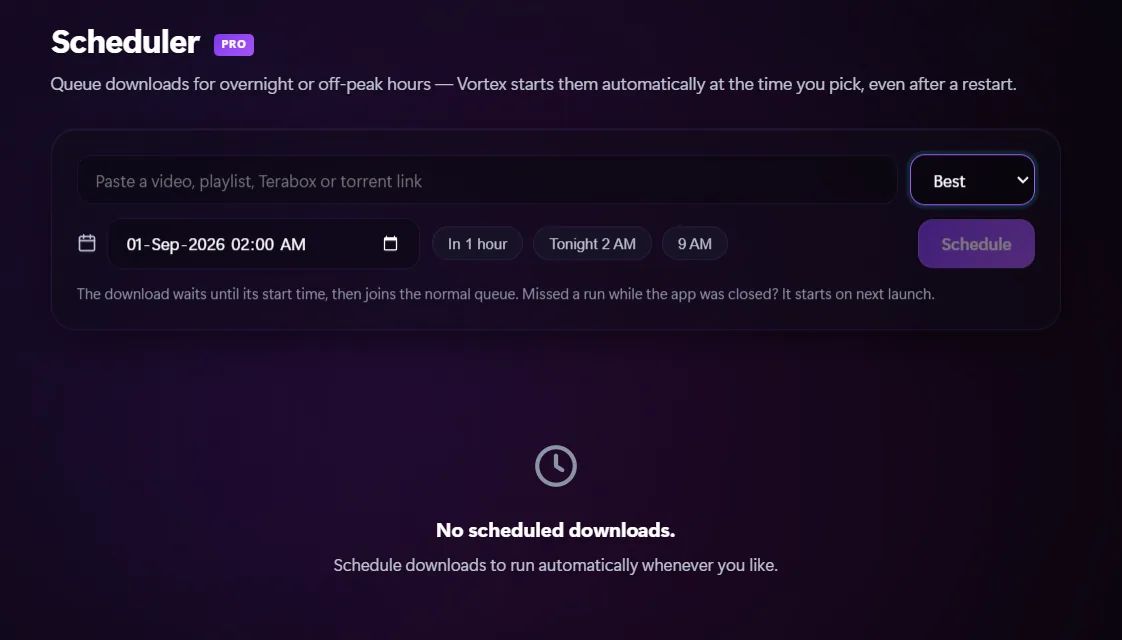
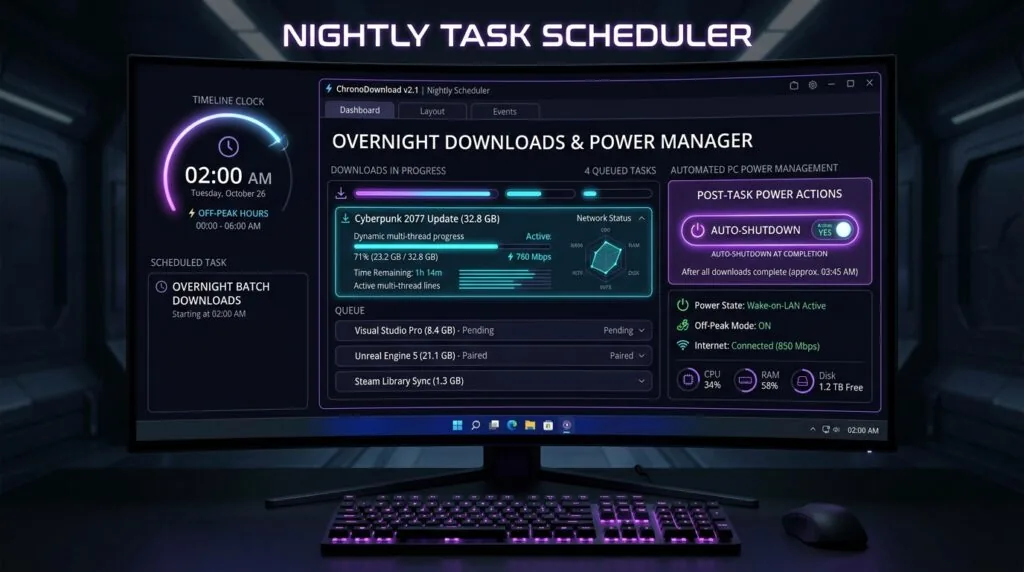
Schedule massive downloads for future off-peak hours (e.g., next 2:00 AM) to preserve daily gaming bandwidth. Vortex displays live countdown timers, starts jobs automatically, and triggers post-download power actions like Auto PC Sleep or Shutdown.
Integrate Vortex natively into Google Chrome, Microsoft Edge, Brave, and Firefox. Powered by a native messaging host that wakes Vortex automatically when closed, intercepts web downloads, blocks ad-network popunders, and lets you batch-grab all page links in one click.
Opens Vortex with format options (up to 8K HDR)
Opens Vortex with Audio Only selected (FLAC/MP3)
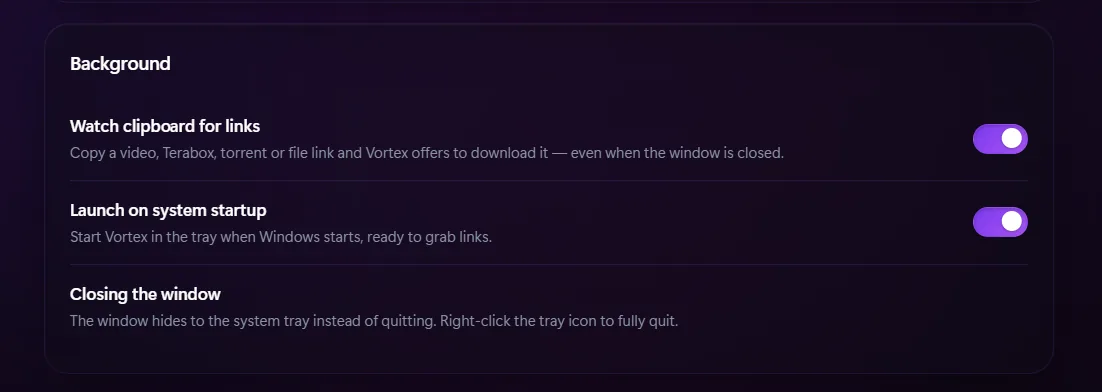
Vortex runs quietly in your Windows system tray, always ready without hogging CPU. Monitors clipboard links, automatically scans finished downloads for malware via Windows Defender or custom antivirus, and auto-injects stored credentials for password-protected servers and NAS drives.
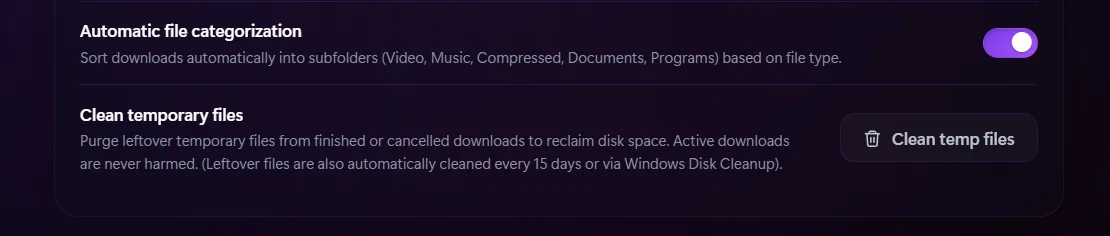
Purge leftover temporary chunk files from completed or cancelled downloads to reclaim gigabytes of valuable SSD disk space. Active downloads are strictly protected and never touched. Vortex also features an automated 15-day purge and native Windows Disk Cleanup integration.
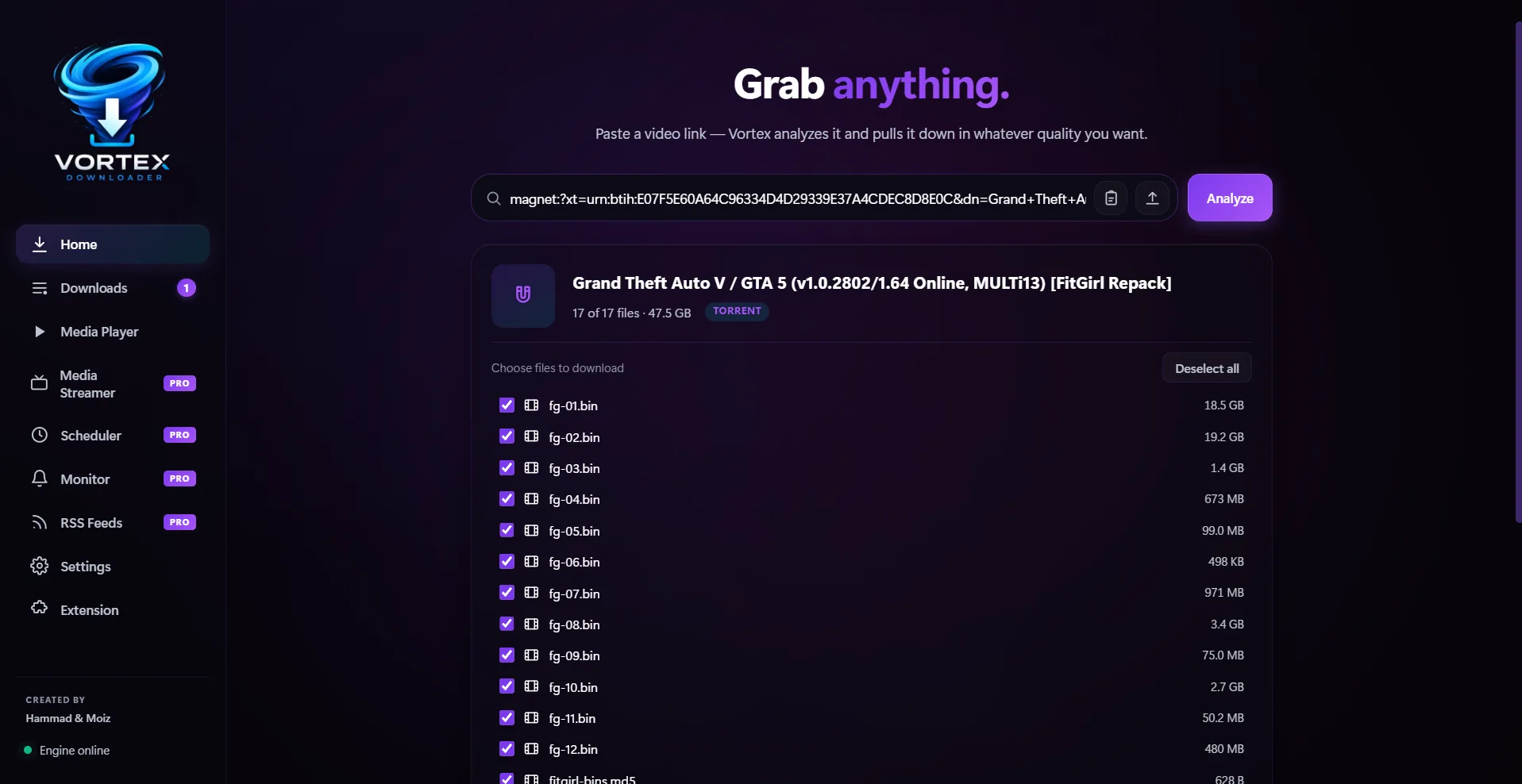
Inspect multi-file torrents and magnet links before starting. Set granular per-file priorities (High, Normal, Low, or Skip / Do Not Download), prioritize first & last pieces for instant streaming, and preserve progress across reboots.
Keep your PC and storage drives impeccably organized. Beyond the default categories, create unlimited custom categories, assign dedicated save directories on any drive or NAS, and configure custom file extension routing rules (.iso, .apk, .blend, .flac).
Drag or swipe horizontally to inspect the full suite of built-in accelerators, streamers, and automation tools.
Every tool you need to download, stream, convert, organize, and automate any content on the web.
Sudden power failure? Wi-Fi disconnected? Vortex writes real-time byte sidecar checkpoint files during multi-threaded downloads. When re-opened, Vortex resumes precisely at the exact byte where it stopped, saving your progress without corrupting files or restarting from 0%.
Cap download speeds globally or per download to keep gaming ping low and video conferencing crystal clear while heavy transfers run in the background.
Continuous background pollers track YouTube channels, playlists, and torrent RSS feeds to grab new episodes automatically the second they drop.
Hardware-accelerated 8K playback featuring multi-audio track switching, multi-language subtitle selector (.srt, .vtt, ASS/SSA), dynamic HDR-to-SDR tone mapping, Dolby Digital audio support, and playlist queues.
Native Chrome, Edge & Firefox extension that injects purple 1-click download buttons on YouTube & streams, plus auto-intercepts web downloads.
Runs silently in the tray on Windows startup. Copy any video, Terabox, torrent or direct file URL and Vortex offers to accelerate it immediately.
Reclaim gigabytes of SSD disk space by wiping leftover chunk files with zero risk to active downloads, plus automated 15-day purge.
Automatically triggers background scans via Windows Defender (MpCmdRun.exe) or your preferred antivirus engine the instant downloads finish. Plus, a secure Site Logins vault automatically injects credentials for password-protected servers, private portals, and NAS storage.
Inspect remote .zip archives before downloading via HTTP range requests that parse Central Directory headers in milliseconds. Right-click anywhere in your browser to batch-extract all links, images, documents, and videos on the page with extension filters.
From social streams and 8K videos to cloud storages and torrent swarms.
See why modern power users are replacing outdated 90s download managers and basic web browsers with Vortex.
Every new installation includes an automatic 7-day Pro Trial. Zero credit card required.
Essential downloading for everyday files & videos.
Maximum speed, streaming hub, 8K ultra HD, and full automation suite.
Billed monthly • Cancel anytime
Experience lightning-fast multi-threaded downloading and streaming in seconds.

Native Apple Silicon & Intel DMG build in development.
Windows 10 / Windows 11 • VirusTotal 0/58 Clean • Defender Verified
Download Vortex (Setup.exe)
Universal AppImage & Debian package in development.
Everything you need to know about Vortex Downloader and its features.
The built-in player is an advanced hardware-accelerated playback engine. It supports Multi-Audio track switching (instantly toggle between commentary, English, Japanese, and dub audio), Multi-Language Subtitles (.srt, .vtt, embedded ASS/SSA) with sync controls, dynamic HDR-to-SDR tone mapping, crystal-clear Dolby Digital surround sound, playlist queues, and 21:9 ultrawide aspect ratios with zero external codecs needed.
No. Vortex Downloader (https://vortexdownloader.org) is an independent, high-velocity desktop download manager, YouTube ripper, and torrent workstation for Windows. It is completely separate and not affiliated with the Nexus Mods game mod manager. If you are looking to mod PC games like Skyrim or Fallout, you need Nexus Mods. If you are looking to download 8K videos, TeraBox shares, torrents, or direct files at maximum wire speed, Vortex Downloader is the dedicated tool.
Vortex Pro includes an integrated Media Streamer connected to TMDB & IMDb catalogs. You can search, browse, and instantly stream trending movies, TV shows, and anime with zero popups or advertisements. If you want to keep any movie or episode offline, click "Download" to save it straight to your library with high-speed multi-threading.
Channel Monitor: Subscribe to YouTube channels or playlists; Vortex checks them every 30 minutes in the background and automatically downloads newly published videos at your specified quality preset (skipping past videos).
RSS Feeds: Subscribe to any `.torrent` or magnet RSS feed; Vortex checks every 15 minutes and automatically queues matching releases with optional keyword and regex filters.
The Scheduler allows you to set exact future times (e.g., 2:00 AM off-peak hours) for heavy downloads so daytime internet speeds remain fast. Vortex displays live countdowns ("in 3h 15m") and can automatically put your PC to Sleep, Shut it down, or Close Vortex as soon as the last file is finished.
Vortex writes continuous byte-range sidecar checkpoint files for every parallel chunk stream. If your PC loses power, reboots for Windows updates, or drops internet, Vortex reads your saved byte offsets upon relaunch and resumes downloading only the missing bytes without corrupting the file or restarting from 0%.
Vortex supports over 1,000+ video and streaming websites (YouTube, TikTok, Instagram, Facebook, Reddit, SoundCloud, Twitch, Vimeo, Bilibili) alongside direct file hosting services (PixelDrain, MediaFire, Gofile, Catbox, Mega, TeraBox, Google Drive, and standard direct HTTP/HTTPS web servers).
With the Pro Video Clipper, you can set precise start and end timestamps (e.g. 00:01:30 to 00:04:15) to download only the section you need from online videos or audio soundbites, saving bandwidth, storage, and processing time.
Vortex includes a native high-speed BitTorrent engine. You can drag and drop .torrent files or paste magnet: links, view the complete file tree before starting, select/deselect specific files, and monitor live swarm telemetry (seeders, peers, piece health, and ETA).
Every new installation receives an automatic 7-day Pro Trial (no credit card required). Pro unlocks the in-app Media Streamer, Video Section Clipper, Channel Monitor, RSS Auto-Downloader, Overnight Scheduler, 8K resolutions, up to 32 turbo parallel streams, studio lossless FLAC audio, and a 100% ad-free experience.
Yes. Vortex features an integrated post-download Antivirus Scanner with native 1-click support for Windows Defender (MpCmdRun.exe) and custom 3rd-party antivirus engines (Malwarebytes, Kaspersky, Bitdefender, etc.). Once a download finishes, Vortex can automatically run a background scan and warn you before any potentially hazardous file is executed.
Yes! Vortex's Remote ZIP Previewer uses HTTP Range requests to inspect the Central Directory header stored at the tail of remote .zip files. Without downloading the entire multi-gigabyte archive, you can view the complete internal file tree, individual file names, compressed sizes, and uncompressed byte totals in seconds.
Right-click anywhere on any web page in Chrome, Edge, Brave, or Firefox and choose "Download ALL Links with Vortex". The Batch Grabber extracts every link, image, video, document, and archive discovered on the page. Filter files by extensions (e.g. .mp4, .zip, .pdf), select all or specific items, and queue dozens of downloads simultaneously in one click.
Yes. Vortex includes a 1-click "Deactivate License" button directly inside Settings > License. Clicking Deactivate immediately releases your license key on the licensing server, allowing you to reactivate it on a new computer or after a clean Windows reinstallation with zero hassle.
Performance deep-dives, streaming tips, and technical guides straight from the Vortex team.
Tutorials & Guides
Few technical experiences are more infuriating than watching a 30 GB file cruise effortlessly from 0% to 99%,...
![Why uTorrent Keeps Crashing on Windows 11 & 10 (7 Proven Fixes & Modern Alternatives) [2026]](https://vortexdownloader.org/wp-content/uploads/2026/10/why-utorrent-keeps-crashing-windows-11-fixes-1024x572.webp) Tutorials & Guides
Tutorials & Guides
Direct Answer: If uTorrent keeps crashing, freezing at startup, or showing “uTorrent has crashed: unable to generate dump”...
 Tutorials & Guides
Direct Answer: To set up overnight downloads and auto-shutdown in Windows 11 without sleep mode interruptions, use Vortex...